Large catalogs become useful only when the search process is disciplined. The goal is not to produce the most results; it is to identify a small set of records that visibly match what you mean. Move from exact identifiers to broader descriptive clues, and preserve the chosen item ID when you contact someone.
Search exact identifiers first
Paste the numeric item ID without extra punctuation. If you have a product code, try it next. Exact searches reduce noise and are especially helpful when a social post or previous message already mentioned a catalog number.
If the ID returns no record, check for transposed digits. Do not substitute a visually similar item without telling the person who requested it.
Translate visual intent into neutral words
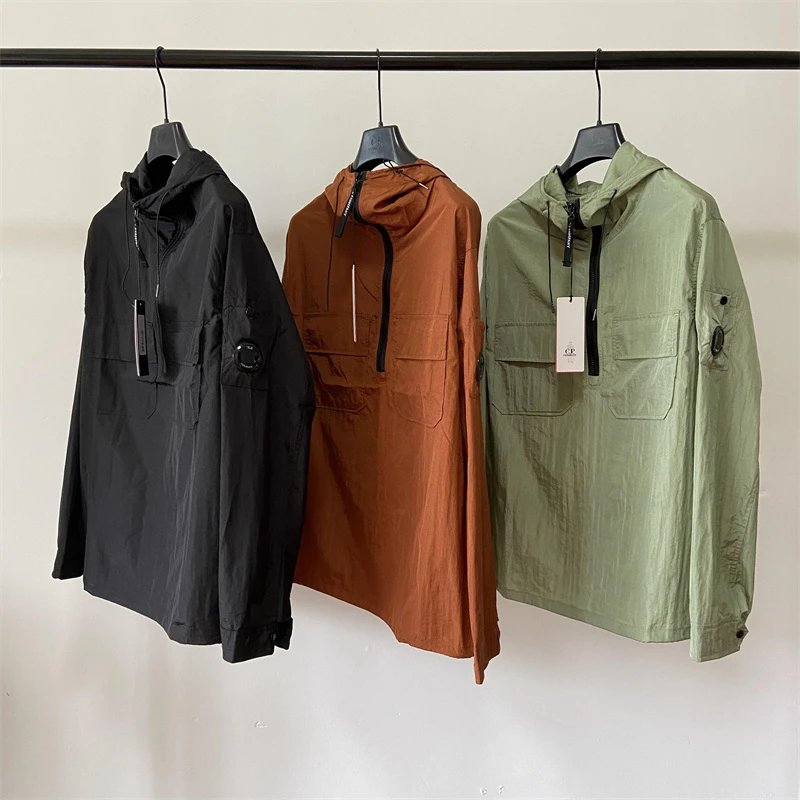
Describe the product type, dominant color and one distinctive feature: blue denim jacket, high-top basketball shoe, embroidered varsity jacket. Avoid stuffing a search with every possible synonym. Start narrow, inspect results, then replace one term at a time.
Brand names can help filtering, but product URLs intentionally do not depend on them. This keeps the permanent reference stable if a title is cleaned up.
Use category context
Categories reduce ambiguity between terms such as bag, jacket or accessory. Open a category hub to understand what is included, then use the filter drawer on mobile or sidebar on desktop. Related products on an item page often reveal a closer variation than a new global search.
Category counts reflect published catalog records, not inventory. A large count means more pages to browse, not more units available.
Confirm the match
Compare all images, not just the first. Look for consistent color, closure, shape, print placement and other visible details. Then save the URL and item ID.
- Try the item ID.
- Try a product code.
- Use two or three descriptive terms.
- Narrow with category or brand.
- Review the image gallery.
- Ask about the exact record.
Recover when the obvious search does not work
A failed search is information. First remove punctuation and marketing words, then try the most distinctive remaining noun or product code fragment. Search systems may normalize apostrophes, hyphens and plural forms differently, so a shorter query often performs better than a full copied title. If the clue came from an image, describe only what is visible: product type, dominant color, closure, silhouette or print placement. Avoid adding an assumed material or brand because a wrong assumption can exclude the correct record.
Next move from text to structure. Open the closest main category and inspect its pagination. If you know a brand label, add it after confirming the category produces results. If you do not know the brand, leave that filter empty. Related-product sections can reveal records with the same category or nearby source date, but they are suggestions, not identity matches. Always open the candidate and compare the complete image set before treating it as the product from your original clue.
Numeric clues deserve special handling. An item ID belongs to this catalog; a source album ID belongs to the upstream album; a product code may be reused in titles; and numbers printed on a product may be part of the design. Label the number before searching it. The Find Item page is the fastest route for a known catalog ID. If a long album number is all you have, use the source link or ask through contact rather than trimming digits until a local ID happens to resolve.
When nothing matches, send a useful missing-item report. Include the original source URL if you have it, an uncropped screenshot that preserves context, the visible characteristics you searched, and the queries you already tried. Do not claim a brand or model you cannot verify. A precise report helps an editor decide whether the product is unpublished, categorized differently, absent from the authorized source or waiting for synchronization. It is much safer than creating a new public page from a guess.
- Simplify the query to one distinctive clue.
- Browse the closest main category.
- Classify every numeric reference before using it.
- Compare the full galleries of candidates.
- Report an unresolved item with source context.
Useful tips
- Search one intent at a time.
- Use English product nouns for the broadest match.
- Keep IDs beside screenshots.
- Ask for help when no exact record exists.
Common questions
Can search read text inside images?
The current search uses catalog data such as titles, IDs, categories, brands and tags. It does not promise visual recognition.
Why do similar items have different IDs?
Each imported source record receives its own stable identity, even when two covers look similar.
What if I only have a screenshot?
Describe visible features and share the screenshot during a WhatsApp inquiry, but wait for an exact item match before proceeding.
Useful tips
- Search one intent at a time.
- Use English product nouns for the broadest match.
- Keep IDs beside screenshots.
- Ask for help when no exact record exists.
Common questions
Can search read text inside images?
The current search uses catalog data such as titles, IDs, categories, brands and tags. It does not promise visual recognition.
Why do similar items have different IDs?
Each imported source record receives its own stable identity, even when two covers look similar.
What if I only have a screenshot?
Describe visible features and share the screenshot during a WhatsApp inquiry, but wait for an exact item match before proceeding.