
How to Use CSSBuy With Product Links
CSSBuy separates “Buy For Me” purchasing from “Ship For Me” forwarding, with warehouse checks and parcel services described for the two workflows.
Independent profile by OnetooneYupoo · Sources reviewed 2026-09-23. We are not CSSBuy and are not affiliated with this service.
Choose the right workflow
CSSBuy labels two distinct services: Buy For Me, where it purchases from Chinese online stores, and Ship For Me, where the customer buys independently and sends goods to its warehouse. Its homepage also describes checking an arriving item’s appearance and size. [1]
Forwarding and parcel services
The Ship For Me page describes combining separate deliveries into a parcel, taking QC pictures and offering packaging options such as vacuum or reinforced packaging. These options should be checked for the actual parcel; the page is not evidence that every service is suitable for every product. [2]
Before sending a seller’s order
Decide whether you need purchasing help or only onward delivery. Confirm the receiving instructions and how the incoming delivery will be linked to your account. For an album reference, verify the seller and variant before arranging either route.
Does a warehouse photo verify authenticity?
Do not treat an appearance check as product authentication. Ask what inspections are available and what happens if the photos show a mismatch. This profile does not promise return eligibility, fixed storage terms or a particular delivery date.
Decide between CSSBuy Buy For Me and Ship For Me
CSSBuy gives the two routes distinct names because the service relationship is different. Buy For Me involves a purchasing request, while Ship For Me begins after you purchase independently. Write down which route applies to each item. For an album-based product, confirm whether CSSBuy needs a supported seller listing or can process the exact reference manually. For forwarding, confirm the warehouse address, incoming package declaration and account-matching procedure before instructing the seller.
With Buy For Me, compare the captured or entered listing, options and seller with the saved catalog page. With Ship For Me, keep your independent purchase receipt and seller terms because CSSBuy did not place that transaction. A warehouse appearance or size check can help reveal visible mismatches, but it is not product authentication and may not provide the same remedy under both routes. Review current return and support conditions before the incoming delivery becomes difficult to reverse.
CSSBuy describes QC pictures, consolidation and packaging choices for forwarding. Treat each option as parcel-specific. Select only the intended warehouse records, retain each order's mapping to the OnetooneYupoo ID, and inspect the proposed package before international submission. Vacuum or reinforced packaging can affect dimensions and suitability, so check what was selected rather than assuming every advertised option was automatically applied.
Compare shipping with actual destination, measurements, restrictions and claim terms. Record standard charges separately from temporary promotions. If you move from purchasing to forwarding on a later order, start a fresh checklist instead of assuming identical eligibility, inspection or dispute handling. Always access CSSBuy through its official domain and keep account credentials out of product notes or seller messages.
A decision record for using CSSBuy
Before placing an order, make a dated note with the exact product reference, the official CSSBuy page you consulted, the service route you intend to use and the policy fields that matter to you. Separate facts stated by CSSBuy from information supplied by a seller and from your own assumptions. If a fee, storage period, route, payment method or protection term is not shown in a current official source, mark it for confirmation rather than copying an old figure from a forum or another agent profile.
Use the catalog item ID as the link between stages. Keep it beside the agent order number when a purchase is created, then beside the warehouse record and parcel number later. Save the chosen color, size, quantity and any confirmed seller link in the same note. This prevents a shortened order title or a replacement marketplace URL from becoming the only surviving description of what you intended to buy.
Review warehouse evidence against visible, answerable details. Check quantity, broad shape, color, option labels and obvious design placement. Standard photographs cannot establish every material, internal construction detail, function or authenticity claim. If the evidence is incomplete or inconsistent, use CSSBuy's current clarification or return process within the applicable deadline. Do not approve a record only because it reached the warehouse.
Treat international shipping as a new decision. Confirm destination support, item restrictions, packed measurements, billable-weight method, available routes, optional services and claim conditions using the actual parcel. Estimates and promotions can change, and one successful shipment does not prove that a future route will behave identically. Keep receipts and important messages outside the account, use a unique password, and never share login codes or grant remote access in response to an unsolicited support message.
General link workflow
- Find and review the exact item page.
- Copy its item ID and permanent URL.
- Confirm current product information.
- Check which link type CSSBuy currently accepts.
- Compare any warehouse evidence before parcel submission.
Find a product before submitting a link
These are current catalog records for discovery only. They do not imply that CSSBuy has approved, purchased or shipped any item.

Product ID #21793
AIO PRO Creora Lightweight UV-Protective Running Jacket
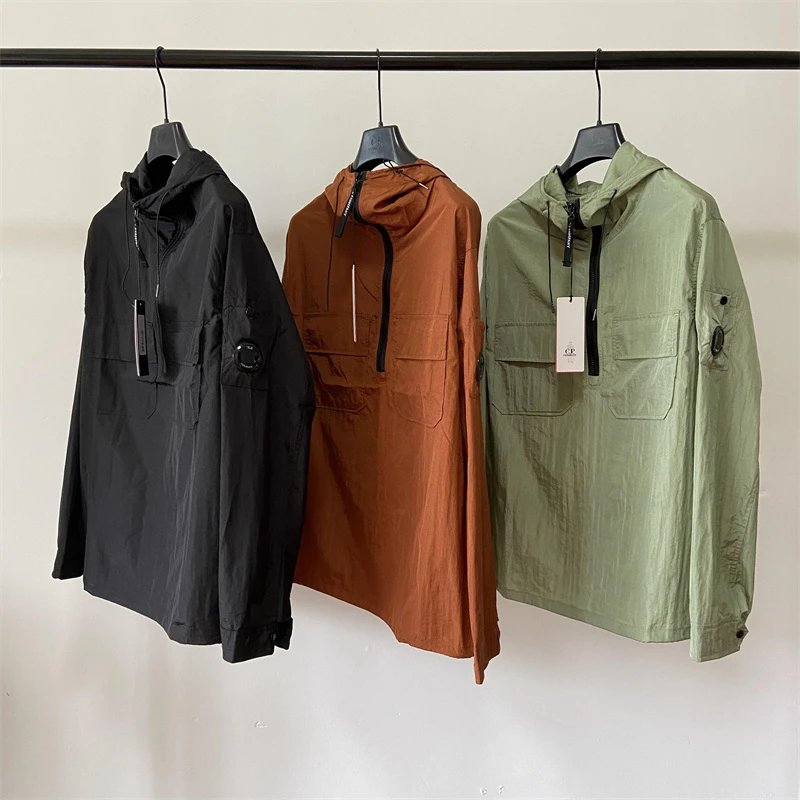
Product ID #21792
CP Company Goggle Jacket

Product ID #21791
Stone Island Compass Logo Jacket

Product ID #21790
Alo Yoga Essential Half-Zip Long Sleeve Performance Top

Product ID #21789
Arc'teryx Alpha SV Hardshell Jacket
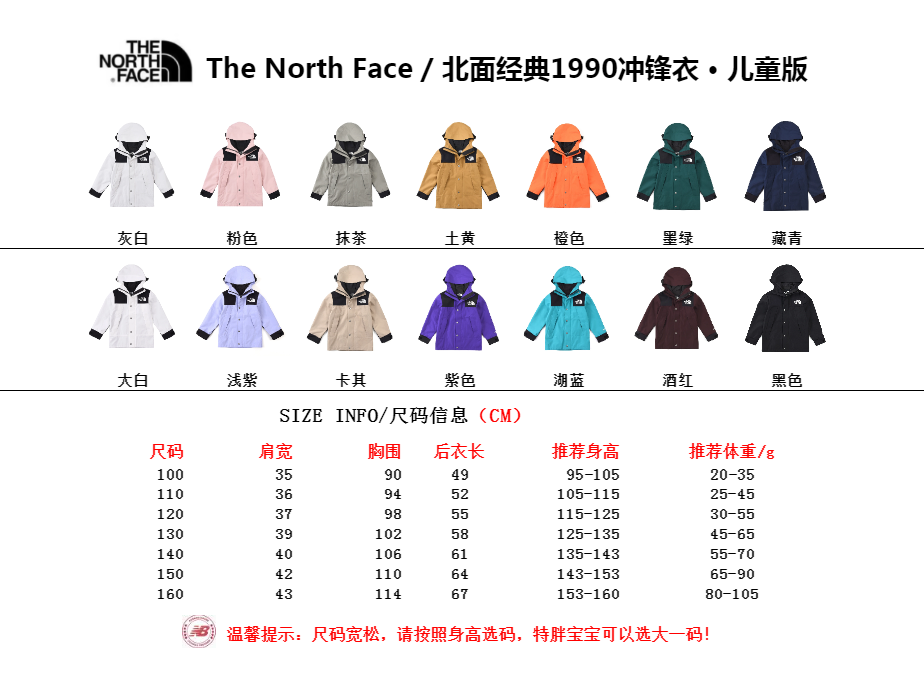
Product ID #21788
The North Face 1990 Mountain Light Jacket
Sources and scope
Descriptions below are the provider’s published information, not a test order or a service guarantee. Policies can change; check current eligibility, charges and restrictions directly.
How to use a buying agent with Yupoo
A photo album is a reference, not proof that an agent can purchase or ship an item. Confirm the seller, exact variant and item eligibility before paying.
Related agents
Nearby published profiles in alphabetical order, not recommendations or ranked alternatives.