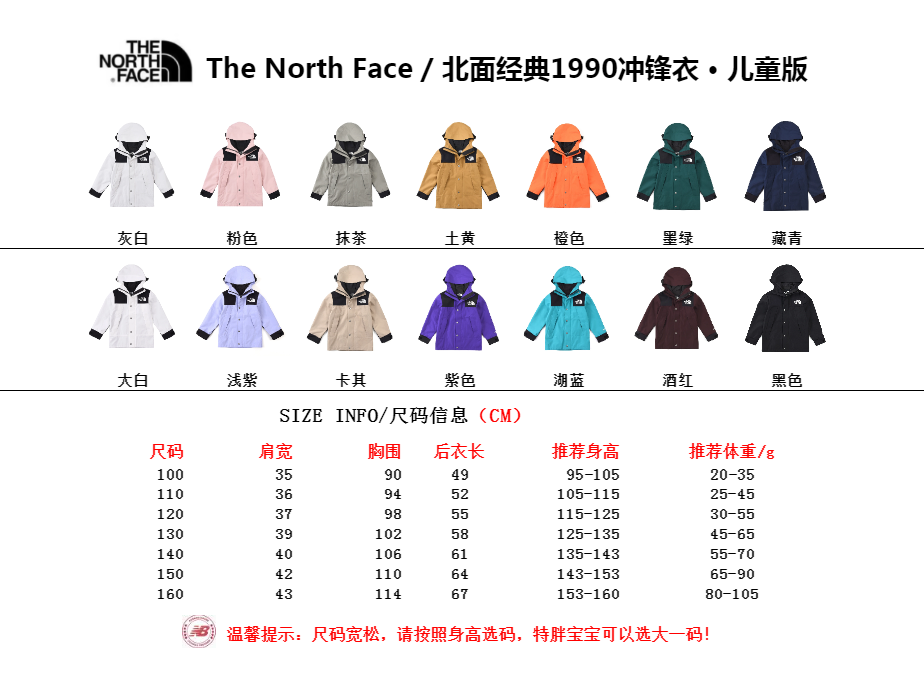
A spreadsheet catalog and a Yupoo album solve different parts of product discovery. The catalog is optimized for search, categories, stable item IDs and internal links. The album is the source image record and may show a fuller timeline or source-specific text. Using both well means preserving their connection without copying unsupported claims from one into the other.
Why start in the spreadsheet
The spreadsheet is faster when you know a product type, category, brand or ID. Pagination and filters make a large collection manageable. Each item page has a canonical URL that remains useful even when a title is cleaned up.
Related-product links help exploration without opening dozens of source categories. The catalog also makes clear that it is not a checkout and does not show invented prices.
Why inspect the album record
The source album may contain the original image order, title and source context. It can change over time. When a catalog preserves a source URL, you can compare the normalized record with the publisher's current page.
Neither view should be treated as proof of current stock or a hidden specification. Ask when the information affects your decision.
Avoid duplicate references
Do not create separate notes for the same item under slightly different titles without recording the ID. If a title changes, the numeric catalog identifier remains the anchor. Old URL forms should redirect to the canonical item page.
Search and filter URLs are temporary views. Share the item page instead, then add the source link when needed for an agent submission.
A combined workflow
Use the catalog for discovery and the item page for communication. Use source material for context and the contact channel for current confirmation.
- Search the spreadsheet.
- Open the item page.
- Review every mirrored image.
- Compare the source album when available.
- Send the canonical item URL and ID.
Resolve differences between the two records
When the spreadsheet and album display different wording, first identify the type of difference. A normalized title may simply remove punctuation or category shorthand. A category difference may reflect an editorial correction. A different image count may mean the catalog has not finished a detail-image sync or the source album changed. None of these differences automatically proves that the records refer to different products. Compare the stable source album ID, catalog item ID and image sequence before deciding whether there is a real identity conflict.
If the source removes an image, a mirrored copy may remain for continuity depending on the catalog's retention policy. That does not mean the old image is current. Conversely, the source may add photos before the catalog's next bounded synchronization run. Check the source timestamp and the catalog's visible image set, then ask about any option that affects your decision. A catalog should not silently rewrite history or claim that a synchronization timestamp is the product's publication date.
Use each interface for the work it handles best. The spreadsheet is better for searching thousands of records, seeing normalized categories, comparing cards and keeping canonical URLs. The album is better for viewing the publisher's current source context and original sequence. The contact channel is where you ask for current information, and an agent's official form is where a supported order is submitted. Moving all of these roles into one page would make the workflow look simpler while hiding important responsibility boundaries.
When you share a record, include both identifiers only when they add value. The catalog ID and URL are usually enough for an inquiry on this site. Add the source album link for source comparison or when an agent explicitly requires it. Label each link so the recipient knows which is the catalog reference and which is the upstream source. Never substitute a nearby album because it has a better title or seems easier to parse; a clean but incorrect link is worse than a clearly documented manual request.
- Classify the apparent difference.
- Compare IDs and the complete image sequence.
- Check source and synchronization dates separately.
- Use each interface for its intended role.
- Label catalog and source links when sharing both.
Useful tips
- Keep the catalog ID next to any source album ID.
- Use clean URLs in messages.
- Do not turn title numbers into prices automatically.
- Revisit the source if the catalog notes a recent update.
Common questions
Which page should I bookmark?
Bookmark the canonical item page for a stable reference and use the source album for current source context.
Why can the titles differ?
The catalog may normalize punctuation or labels for search while preserving source fields separately.
Does the spreadsheet replace the source?
No. It organizes discovery and reference. Source and current inquiry information remain distinct.
Useful tips
- Keep the catalog ID next to any source album ID.
- Use clean URLs in messages.
- Do not turn title numbers into prices automatically.
- Revisit the source if the catalog notes a recent update.
Common questions
Which page should I bookmark?
Bookmark the canonical item page for a stable reference and use the source album for current source context.
Why can the titles differ?
The catalog may normalize punctuation or labels for search while preserving source fields separately.
Does the spreadsheet replace the source?
No. It organizes discovery and reference. Source and current inquiry information remain distinct.